Category: Curiosity

Uncover fascinating insights, quirky facts, and intriguing stories from the world of design. From unconventional ideas to hidden gems, this category fuels your curiosity for all things creative.

  • 5 Mind-Blowing Websites on Internet

    Do you feel tired flipping over and over on the same old websites that keep cropping up? Wish to experience something new that will rock you over the internet world? Do not worry for this post where I excitedly unveil some of the mind-blowing websites that get you at the next best internet-browsing level-they present something unique really appealing to all curious souls everywhere.

    Get ready to take the virtual tour that will give you an appreciation of incredible creativity and innovation found on the internet. Whether you are an old-timer in surfing the web or just coming to this medium, surely these websites would leave you amazed and inspire you to look deeper. Let us now get into the wonderfully interesting world of these five amazing web destinations!

    1. Internet-Archive

    Internet-Archive

    URL: https://web.archive.org

    Imagine you want to see what your favorite website looked like way back in the late ’90s or any time since then. Enter the Wayback Machine!

It’s like a time-traveling wizard for the internet!

    It’s this amazing utility by the Internet Archive: it takes snapshots of websites over time. You could head over to web.archive.org, type in the URL, and voila! You get to see that webpage at different points of history.

    This thing is loved by researchers, history buffs, and anybody interested in the evolution of websites. It is like digging into the past of the internet. It’s all free to use! The Internet Archive, a non-profit, has opened it up for everyone.

    The Wayback Machine is like a digital time capsule, preserving the history of the internet. It’s there to make sure we don’t lose out on the gems of the online world as websites change or disappear.

But, it’s not perfect. Dynamic stuff like interactive features might not show up, and some websites might have restrictions. Still, it’s a pretty nifty tool for exploring the internet’s journey over the years.

    2. The Good Country Index

    The Good Country Index

    URL: https://index.goodcountry.org/

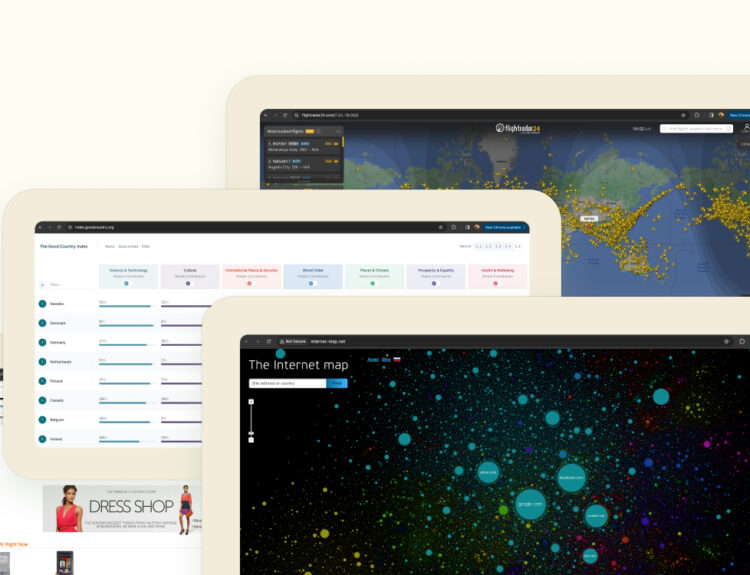
    Is your idea of a ranking similar to one based on the Good Country Index? It’s actually globally measured to rate how well each country contributes to overall human well-being. Sort of like a report card in reverse, this ranking would review whether or not countries add much good to the earth and its inhabitants instead of being about success in overall ratings. It tracks some aspects like Science and Technology, Culture, Peace, Security, and the others.

    They do this by digging into data from big organizations like the United Nations. They analyze how much a country is pitching in across areas like health, equality, the environment, and all those good things.

    The basic idea is to nudge countries to not only think about their own interests but also extend a helping hand to global challenges.

    3. Flight Radar24

    Flight Radar

    URL: https://www.flightradar24.com/

    It’s this super cool online thing that lets you track flights in real-time, like a worldwide GPS for planes! You can see where a flight is, how high it’s flying, how fast it’s going — basically, all the cool details.

    This would be an interactive map. You could zoom into any place, click on a plane, and it would bring up more information about what airline, what flight number, kind of plane, where did it take off from, where is it going, and what’s going on with it at that particular moment.

    And the best part is it is not just for the aviation nerds but anyone can use it. Want to see your friend’s flight? Just pop in the flight number. Curious about the planes flying over your city? Check out the map.

    FlightRadar24 even has mobile apps, so you can track flights on your phone while you’re out and about. Perfect for those moments when you see a plane in the sky and wonder where it’s off to.

    The magic comes from data like ADS-B signals and radar, so not every single plane might show up. But still, it’s pretty fascinating to watch the world’s planes crisscrossing the skies in real-time.

    4. The Internet Map

    URL: http://internet-map.net/

    The Internet map is a website created by Ruslan Enikeev where websites are like little islands on a map, and they’re grouped together based on what they’re all about. You can click around and explore, and each island (or node) is like a website. The bigger the island, the more popular the website is.

    5. HE 3d network map

    HE 3d network map

    URL: https://www.he.net/3d-map/

    It is a product or service provided by a multinational Internet service provider named Hurricane Electric (HE) through which they might be displaying, as well as mapping, three-dimensional structures of their network infrastructures.
In general terms, a network map represents the way in which network elements communicate with each other, from servers to routers to data centers. A 3D network map would be more of an immersion and detail because users will be able to look at their network topology in three dimensions.

    Hope you found these resources useful.


  • Top 5 Visual Design Trends of 2025

    The digital world is constantly changing and fast. And those of us involved in UX design are at the forefront. In 2025, visual design is an era of enormous change taking place. Both technological, sociological and user generated. Staying ahead of the trends isn’t just a matter of style. It’s about creating an experience that pleases users. Let’s take a closer look at the top five visual design trends that will emerge next year.

    1. Realistic 3D and AR experience

    Realistic 3D and AR experience

    In 2025, integrating 3D design with augmented reality is nothing but a given. With the number of AR-enabled devices and platforms increasing, consumers will demand visual designs with depth, interactivity, and immersion. From e-commerce to education, 3D elements are transforming the user experience.

    Consider applications related to furniture. It can see a 3D sofa in the living room thanks to augmented reality. It’s about breaking down screen barriers and bringing design into the user’s real world. Realistic combination of textures, lighting and movement Create sensory richness with a personal and tangible feel in 3D and AR products. Plus, tools like Unity, Blender, and ARKit make it easy to design these experiences.

    The challenge for UX designers is to strike a balance between beauty and functionality. Overloading the interface with too many 3D elements can sometimes degrade performance. As this trend grows Simplicity also tends to stand out in 3D space.

    2. AI-powered personalization

    Artificial intelligence is a popular industry conversation, but 2025 will drive greater personalization in the realm of visual design. Consumers expect designs that fit their preferences, behaviors and needs – smoothly and intuitively.

    A streaming app that adjusts its interface based on the user’s viewing habits. Colors, fonts, and layouts change dynamically based on mood or time of day. That level of customization creates a deeper emotional connection between the user and the brand. AI-powered insights can help designers create visuals that speak directly to individual users. This increases satisfaction and loyalty.

    However, personalization must be done responsibly. Transparency about how user data is used is key to building trust. UX designers should focus on creating adaptive interfaces and clearly communicating these changes to users. Therefore, users feel empowered rather than being followed…

    3. Biophilic Design Elements

    Biophilic Design Elements

    As the world increasingly prioritizes sustainability and mental well-being, biophilic design elements are taking center stage. This trend draws inspiration from nature to create calming, harmonious user interfaces.

    Incorporating organic shapes, earthy color palettes, and natural textures can evoke feelings of serenity. Whether it’s a finance app that uses shades of green and flowing lines to reduce stress or a wellness platform with plant-inspired animations, biophilic design connects users to nature, even in a digital space. Such designs promote mindfulness, making them especially relevant in today’s fast-paced world.

    UX designers adopting this trend should focus on subtlety. Overusing nature-inspired visuals can feel forced or overly thematic. Instead, integrating these elements thoughtfully—perhaps as background accents or micro-interactions—ensures a balanced and effective user experience.

    4. Maximalist Typography

    Minimalism has governed design for years, and 2025 greets a refreshing counter-trend: maximalist typography, bold, expressive, unapologetically artistic, and making text take center stage in the user interface.

    Think oversized headlines, experimental typefaces, and vibrant color gradients. Maximalist typography is about storytelling and evoking emotions. For instance, a campaign website might use dynamic text that morphs and moves as users scroll, creating a narrative journey. It’s a perfect fit for brands looking to stand out and leave a lasting impression.

    However, readibility still comes first. Creativity and clarity will have to be balanced together by the designers. By experimenting with type, it should still let users consume the content easily. Testing with tools such as a contrast checker and responsive testing will always be very essential for accessibility.

    5. Retro-Futurism

    Retro-Futurism

    Retro-futurism—the art of mixing nostalgia with forward-thinking aesthetics—is set to dominate 2025. This trend pays homage to the past while embracing futuristic technologies, resulting in a unique visual style that feels both familiar and innovative.

    Expect neon color schemes, glitch effects, and pixelated textures reminiscent of the old internet days. At the same time, these elements will be woven into modern layouts and slick animations. For example, a fintech app can use retro-futuristic visuals to make intimidating financial concepts more approachable and engaging.

    To leverage this trend effectively, UX designers should identify the specific emotions or memories they wish to evoke. Retro-futurism works best when tied to a brand’s narrative, creating a cohesive and memorable experience for users.

    Conclusion: Designing for the Future

    As UX designers, staying ahead of visual design trends is essential for crafting interfaces that delight, engage, and inspire users. The trends of 2025 immersive 3D and AR, AI-driven personalization, biophilic elements, maximalist typography, and retro-futurism—reflect the dynamic interplay between technology, user needs, and cultural shifts.

    But to embrace these trends, thought needs to be applied. It is not about doing what is in fashion; it is about knowing their impacts on user experiences. Adding these innovations strategically can thus ensure designs that look great, yet enhance functionality and the emotional connection.


  • How to Maximize Creativity for Your New Design Project

    A new design project always feels exciting, yet scary at the same time. Creativity is very important for UX designers. It helps us make designs that users like. But creativity doesn’t just happen; you can make it better by working on it. Here, I will share simple tips to help you be more creative for your project.

    1. Make a Good Place for Ideas

    Creativity grows in a good environment. Before starting your project, make a place and mood that gives you ideas.

    Start with your room. Keep it clean and nice. Put things like plants or pictures that make you happy. A clean place makes your mind clear too, so you can think better.

    In addition, take care of your mind. Start the day by relaxing or writing down your thoughts. Listen to music, read books, or look at art. These things may give you new ideas for your design.

    2. Know Your Users Well

    Good design originates from knowing what users want. Learning about the users can actually help you brainstorm creative ways in which to solve their problems.

    Think like a user. What does he or she need? What makes them happy or upset? Have a word with them, read their feedbacks, and see how they are using things. This will allow you to pinpoint problems you could fix with your design.

    Do not merely follow old ideas. New ideas come when you ask questions. If you can find things others missed, then your designs are going to be better and different.

    3. Team Work

    With other people around you, your creativity will become higher. Other people may also share ideas that you did not think of before.

    Talk frequently to your team. They can give you an idea that could help you create something new. Use Figma or Miro, which can facilitate easy sharing and working together with your team. Listen to their comments about your design; they might make your work better.

    You can also join design groups online or in person. It is possible to get inspiration for your own project by seeing the work of other designers.

    4. Try New Tools and Ways

    Creativity is improved as you try out new things. Trying out other tools and ways of doing something brings in fresh ideas.

    Start drawing your ideas on paper. This is simple yet very helpful. Use Figma or Adobe XD to make the design. In fact, you might discover some new ways by trying out different tools.

    Don’t be afraid to play with fun things. Stories, games, and moving designs can enrich your project. That color, font, or animation play could impress many people.

    5. Improve Your Work

    You do not need to get it all right the first time. Creativity is trying again and making things better.

    Test your design early. Show it to users and see what they think. Their feedback can give you new ideas. It’s okay if something doesn’t work—you learn from mistakes.

    Ask others for their opinions. Whether it’s users or your team, their feedback helps you find problems and improve your design. Keep an open mind, and you will come up with even better ideas.

    Creativity Is a Journey

    Creativity in a design project is how you think and how you work. Make a good space, learn about your users, work with others, try new tools, and keep improving. Creativity is a muscle-the more you use it, the stronger it gets.


  • The Creative Compass: Why Mentorship is Your True North

    Creative journey is like an infinite long journey full of ideas, challenges, and opportunities. But even the bravest explorers need their guiding star. That’s when mentorship comes-a steady hand to navigate all twists and turns of creative journeys.

    Let’s talk why having a mentor changes not only your work but also your entire creative process.

    1. A Mentor Lights the Way

    Creativity often seems like wandering through a fog. You have the skills, the vision, and the passion, but sometimes, the direction is still foggy. A mentor offers clarity by sharing insights drawn from their own experiences.

    A mentor is someone who has been down the road you are traveling. They have faced similar challenges, stumbled along the way, and learned valuable lessons. Their stories can help you avoid common mistakes and find your footing faster. For example, a mentor might help you refine a design idea or show you how to pitch your concepts more effectively.

    Even more importantly, mentors act as sounding boards. The moment you share your ideas and get constructive feedback is when you learn what works and what does not. This type of guidance makes all the difference, particularly in creative fields where things are pretty subjective.

    2. Opening Doors to New People

    The creative industry thrives on relationships. Whether you’re a UI/UX designer, a visual artist, or a budding writer, knowing the right people can open doors to opportunities that hard work alone might not.

    Mentors often already have established networks. With them, you can introduce you to industry leaders who can connect you with actual clients or recommend you to exciting projects. These introductions come with a bonus: endorsements from credible people, very valuable when trust is considered.

    But it’s not who your mentor knows; it’s how they grow and develop their relationships. There are so many lessons in that, from how to compose professional emails to managing the collaboration process. It will help you build meaningful connections using that person’s approach as a playbook.

    3. How to Build Confidence

    Let’s face it – imposter syndrome pays each creative a visit at some point. You have likely questioned your skills, doubted your choices, or even felt you don’t measure up. A mentor will help quiet those voices of self-doubt.

    When someone you look up to believes in you, it is an attitude and confidence booster. His words of encouragement motivate you to take on challenges you otherwise would have sidestepped. He stretches your limits to step beyond comfort and tackle bigger challenges.

    For instance, think of presenting your portfolio to decision-makers. With the help of your mentor, you can improve to a confident presentation of your skills. These small wins add up over time, helping you feel more assured when facing new challenges.

    4. Growth Beyond Your Craft

    Mentorship is not only about professional skills; it is a very personal journey as well. The influence of a mentor often transcends into decision-making, perspective building, and even life lessons.

    For example, take big decisions: should you take a stable but less creative job, or should you try to specialize in a new direction? A mentor can give you insights that help you weigh your options more clearly. They’ve probably faced similar crossroads and can share what worked for them-and what didn’t.

    Mentors can also help you create habits that contribute to long-term growth: doing your sketchbook or more extensive reading or carves time for recharging out of the work-life perspective from which their advice might emerge. These small habits are actually huge over the length of time.

    5. Ripple in Water: Paying Forward It

    There is beauty in giving-and, this ripple effect is the great value of mentorship once having such experienced pay offs that one would want and pay to be on the giving-end-their cause ends-and through serving, learning and deepened craft mastery.

    Guiding someone forces you to express what you know and reflect on your own journey. Sharing your experiences, explaining concepts, and helping someone overcome challenges strengthens your expertise.

    The other significant importance is leaving a legacy. This is a result of your insights and encouragement. In some cases, it even creates ripples that move far beyond you. Mentoring will thus provide a way in which the creative community grows in stature and in energy.

    Final Thoughts

    If you don’t have a mentor yet, now’s the perfect time to find one. Look for someone whose journey aligns with your goals. Reach out with sincerity, express your eagerness to learn, and be ready to invest in the relationship. And if you’ve been lucky enough to have a mentor, consider becoming one yourself.

In the grand adventure of creativity, mentorship is the compass that keeps you moving in the right direction. Whether you’re seeking a guide or becoming one, mentorship will enrich your journey and leave you better equipped for the challenges ahead.


  • Wondering what are different types of websites out there? Here are those…

    A website can be any of the below two types:
    Static Website
    or
    Dynamic Website

    Further websites are categorized in various different types. Let’s see one
by one.

    Static Website

    • Static websites are the basic websites.
    • They are fixed.
    • The content is not changed often.
    • They aren’t updated by users.
    • These kind of websites are made for information and not for user interaction.

    Example: www.husali.com

    Dynamic Website

    • Dynamic websites are the ones where content is updated often.
    • Users interact with such website.
    • User can generate content or see what he/she wants by adding some filters.
    • Here the content is updated dynamically.
    • These kind of websites are used more by the users as they find some kind of interaction with the websites.

    Example: www.mix.com

    1. Blog Website

    Blog can or can not be a website.
    When can we say blog is a website?
    It is a kind of journal diary people keep online, sometimes also sharing their expertise & inviting readers to discuss the problems in the comments.
    Blogs can be personal or professional.
    When a bloggers shares a content on the website & users read for some purpose then a blog can be called as website.

    Example: www.carlytheprepster.com

    When can we say blog is not a website?
    In most cases, the competition is really high in the web. To keep the search engine ranks high as possible. In such cases websites not only need to correspond to the technical & design requirements but they also need to constantly update their content. This is when blogs come into play.
    And when you share the content on website for search engine optimisation then it can not be called as a website.

    Example: www.digitalsurgeons.com/thoughts

    2. Collaborative Website

    A collaborative website is a website that implements the principle of user collaboration, which includes the ability to provide input, access common files and otherwise work collaboratively on the Web.

    Example: www.wikipedia.org

    3. Corporate Website

    A corporate website is aimed at presenting the company.
    The target audience is their clients who buy services.
    This website may include the portfolio, services, philosophy of the company, testimonials, careers etc.

    Example: www.digitalsurgeons.com

    4. Crowdfunding Website

    These type of websites raise money for various types of goals from charity to startups & business investments.

    Example: www.milaap.org

    5. Directory Website

    These websites are a huge lists or catalogs of data organised around one area or theme.

    Example: www.justdial.com

    6. E-commerce Website

    The main purpose of E-Commerce websites is to sell products or services online.
    It includes different stages like, showcasing the product, adding it to cart, online payment, home delivery of product, replacements or returns, product & service reviews.
    E-commerce websites can act in two ways.
-By presenting physical shops
-By operating online only

    Example 1: www.amazon.com

    7. Educational Website

    These websites have content to learn different things online from libraries, encyclopaedias & professional courses.

    Example: www.coursera.org

    8. Forum Website

    Forum is an online discussion site where people can hold conversations in the form of posted messages.

    Example: www.stackoverflow.com

    9. News Website

    These are a kind of online magazines or newspaper websites.Their primary goal is to provide inform users about latest news and events.
    The content may be restricted to specific region or all over around the world.
    It could be about fashion, design, politics, economics, weather, sports, social sciences.

    Example: www.timesofindia.com

    10. Personal Presentation Website

    These websites aims to promote individual content in a professional or
non-professional perspective.
    It could be portfolios, blogs or articles.

    Example: www.johnyvino.com

    11. Q & A Website

    These are the websites somewhat similar to forum websites. They aim at answering the users questions posted on the website. These answers can be given by one or many users, the most liked answers are ranked on the first place.

    Example: www.quora.com

    12. Review Website

    Here, you can review different products, sometimes movies & companies. So that user can compare those and choose the best for themselves.

    Example: www.imdb.com

    13. Search Engine Website

    These websites lets user find anything they have in mind. Based on the inputs multiple search results can appear on the screen.
    The searched keywords are crawled by the search engine and the most ranked results are showed in the top.

    Example: www.bing.com

    14. Sharing Website

    These websites allow the user to share different kinds of content like picture, videos, text files, music etc.
    The user at the other end can download the content.
    These services can be paid or free depending the strategies of the website.

    Example: www.wetransfer.com

    15. Social Bookmarking Website

    These websites allow users to bookmark different websites links which they want to read in future or on a daily basis.
    Advantage- user need not find for the same thing again and again.

    Example: www.mix.com

    16. Social Website

    On social websites people are able to share thoughts, opinions
    The type of the messages may differ
    You can create a community for a particular type of people
    You can create Pages and groups for different purposes.
    Communication is mostly based on the user generated content.

    Example: www.facebook.com

    17. Torrent Website

    Torrent is a peer to peer network website
    There are no centralised server to maintain and store the data.
    It has a small set of servers to find seed and peer.
    These websites are made for free movies, music, books, games etc.

    Example: www.1337xto.to

    18. Video Streaming Website

    These websites are all based on video content
    These may be online TV services or streaming platforms.

    Example: www.vimeo.com

    19. Webmail Website

    These websites allow the users to send emails from one source to another.
    These mails can be forwarded to other registered users or can be replied to the same user.

    Example: www.gmail.com

    The list will continue to grow as time goes by. But I hope you get an idea what kind of websites are there on the internet. After all websites are all about the content that provides knowledge & Entertainment.